
Fugo

Digital menu boards you can update without reprinting

Run menus, promotions, and operational content across locations from one system. Schedule dayparts, control who can publish, and keep content consistent across stores and franchises.

Supports menu workflows
Dayparting and scheduling
Multi-location management
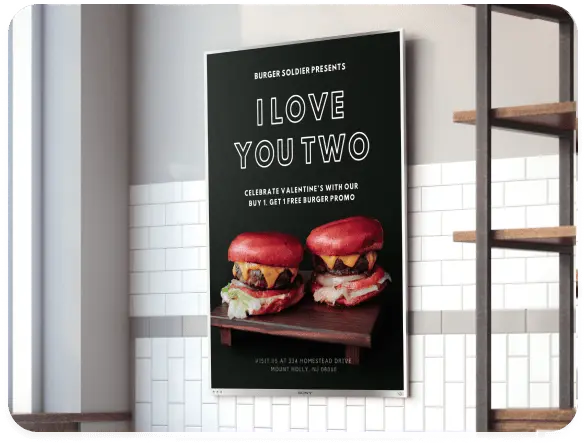
Restaurant counter running digital menu boards with food photography and prices

Common restaurant screen setups

Food and beverage businesses need signage that works as hard as their teams. Fugo gives you the flexibility to run the right content on every screen type, all from one place.

Keep menus consistent and current

Swap printed boards for screens you can change in seconds. Put your food on screen with proper photography, clear prices and readable item descriptions. Change a price, add a special or mark something sold out, and it lands on every board you choose without a reprint or a site visit. Start from a menu board template or build your own layout in Design Studio.

Menu board templatesLive price updatesSold-out notices
Coffee shop espresso bar with a digital menu board showing drink names and prices

Menu board software that works across every location

Design your menus, schedule dayparts, and keep every screen in every location in sync from one dashboard.

Fugo scheduling a digital menu board to run during lunch hours

Scheduling and day-parting

Set your breakfast, lunch and dinner menus once and let them switch themselves. Fugo’s scheduling engine works on time of day, day of week and date range, so happy hour starts at four and the late-night board takes over on its own. Seasonal and holiday menus work the same way and can be scheduled weeks ahead.

  • Automatic breakfast, lunch and dinner switching
  • Happy hour and promotional windows
  • Day-of-week variations
  • Date-range scheduling for seasonal and limited-time menus
Editing a digital menu board template in Fugo Design Studio

Design Studio and menu board templates

Build the board where you publish it. Design Studio is a drag-and-drop canvas built for screen sizes, not print, so your layout does not shift between portrait and landscape. Start from a menu template, drop in your items, prices and photography, then save it as a company template so every site uses the same look.

  • Drag-and-drop editor
  • Reusable branded menu templates
  • Multi-zone layouts for boards plus promo strips
  • Company templates for cross-site consistency
Fugo dashboard monitoring digital menu board screens across multiple restaurant locations

Multi-site control, monitoring and remote recovery

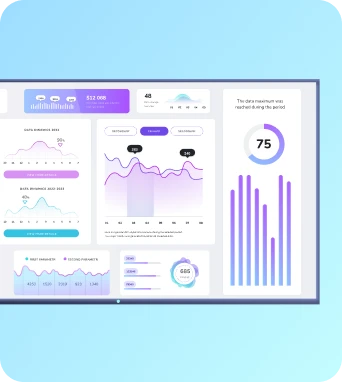
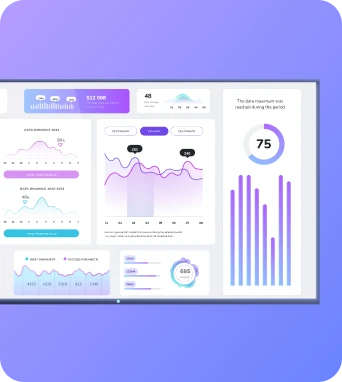
Manage every screen from one dashboard. Group screens by site, region or brand, and publish to a whole group in one go. Fugo monitors uptime and tells you when a screen stops playing, and you can restart a player remotely instead of driving to the store. Playlists let you sequence menu boards with promos and announcements without rebuilding anything.

  • One dashboard for every site
  • Playlists mixing menus, promos and announcements
  • Uptime monitoring with alerts
  • Remote recovery without a site visit

Food and beverage digital signage FAQs

Everything you need to know before deploying digital menu boards and signage across your food and beverage locations.

What is a digital menu board?

A digital menu board is a screen that shows your menu instead of a printed board — items, prices, photography and item descriptions — changed from software rather than reprinting. Most restaurants run a TV or commercial display with a small media player behind it. See the full digital signage software features for what you can put on each screen. Supermarket delis and bakeries can also explore grocery & supermarket digital signage.

Can Fugo switch menus between breakfast, lunch and dinner?

Yes. The scheduling engine switches boards on time of day, day of week and date range, so breakfast, lunch and dinner menus change over on their own. Holiday and seasonal schedules layer on top and override the standard day-parting rules.

How do I keep menus consistent across locations?

Group screens by site or region and publish to a whole group at once. Save layouts as company templates so every site uses the same look. Uptime monitoring tells you if a board in another location has stopped playing so you can restart the player remotely.

What hardware do I need?

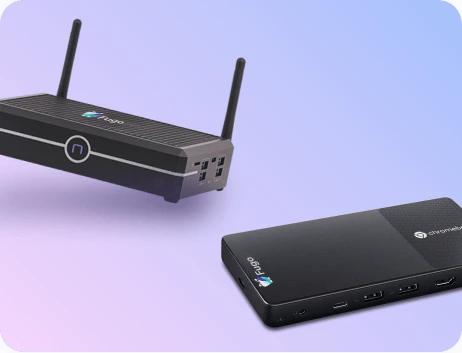
A screen and a player. Fugo is hardware-agnostic, so it runs on Amazon Fire TV and the Amazon Signage Stick, the Google TV Streamer, NVIDIA Shield and Android devices. Samsung Tizen and LG webOS commercial displays have the player built in, so you do not need an external box. Windows and ChromeOS work too. Install the Fugo player from the device’s app store, pair the screen and pick the playlist.

Do I need a designer to build a menu board?

No. Design Studio is drag-and-drop and built for screen dimensions. Start from a menu board template, swap in your items and prices, publish, then save it as a company template so every site stays consistent.

How much do digital menu boards cost?

Fugo is priced per screen, with no minimum number of locations, and it runs on players and screens you may already own — which keeps hardware costs down. There is a 14-day free trial with no card required. See current plans on the pricing page.

Is my menu data secure?

Fugo is SOC 2 Type II compliant, with role-based access controlling who can publish to which screens.

Can I show more than menus on the same screens?

Yes — promotions and upsells, order-ready displays, branding and back-of-house staff communications all run from the same system, so you are not locked into a single type of screen. For menu boards specifically, our guide to digital menu boards for restaurants goes deeper.