Fugo

Securely display any dashboard on your workplace TV screens

TV dashboards keep important metrics in sight so your team can act on them throughout the day. Fugo keeps your on-screen data secure & fresh, so conversations can be about the data instead of getting it.

Compatible with your entire dashboard stack

Different teams, different tools, one centralized way to get their data on screen.

Automate the work behind your TV dashboards

Give Fugo access to your dashboard once. From there, it handles the recurring work of signing in and loading fresh views of your data to your screens.

Leave the login to Fugo

Fugo securely stores & encrypts your credentials, then uses them to sign in on your behalf.

Keep 2FA switched on

Fugo generates the one-time codes required to complete two-factor authentication automatically.

Refresh on schedule

Set how often Fugo loads a fresh view, so what’s on screen keeps pace with your dashboard data.

Fugo dashboard editor showing the refresh interval and the saved login steps, including two-factor authentication, with credentials stored encrypted

Keep your security model intact

Showing data on a TV shouldn’t mean weakening the controls already protecting it. Fugo’s dashboard delivery model is built to preserve secure access from the source through to the screen.

  • SSO & 2FA support
  • Encrypted credential storage
  • Device-specific encryption
  • Regional proxy routing
  • IP allowlisting support
  • Secure screenshot delivery

Optimize dashboards for the big screen

Dashboards are built for desktop viewing. Fugo gives you the controls to adapt them for large, unattended TV screens - from what appears in view to how the dashboard loads and performs.

Deploy across cloud & on-premise environments

Adapt how Fugo accesses and renders your dashboards to fit the security and infrastructure constraints of your environment.

Compare deployment options

Cloud rendering

Securely authenticate with and render cloud-hosted dashboards, with automatic refresh and no additional infrastructure to manage.

Player-local rendering

Render dashboards directly on supported players inside your network for faster refresh rates of more frequently changing data.

On-premise rendering

Access & render dashboards inside your network to support segmented environments and strict data residency requirements.

Put live data where teams can act on it

Make important data part of the working environment so teams don’t have to go looking for it when it matters.

Sales floor screen above the desks showing pipeline, closed-won, calls-today and target figures

Sales & RevOps dashboards

Pipeline moving? Targets slipping? Keep sales performance & revenue dashboards visible to the whole team throughout the day.

Trigger screen takeovers from your business data

Go beyond always-on dashboards by using the data you track to trigger event-driven content on your screens.

See content triggers
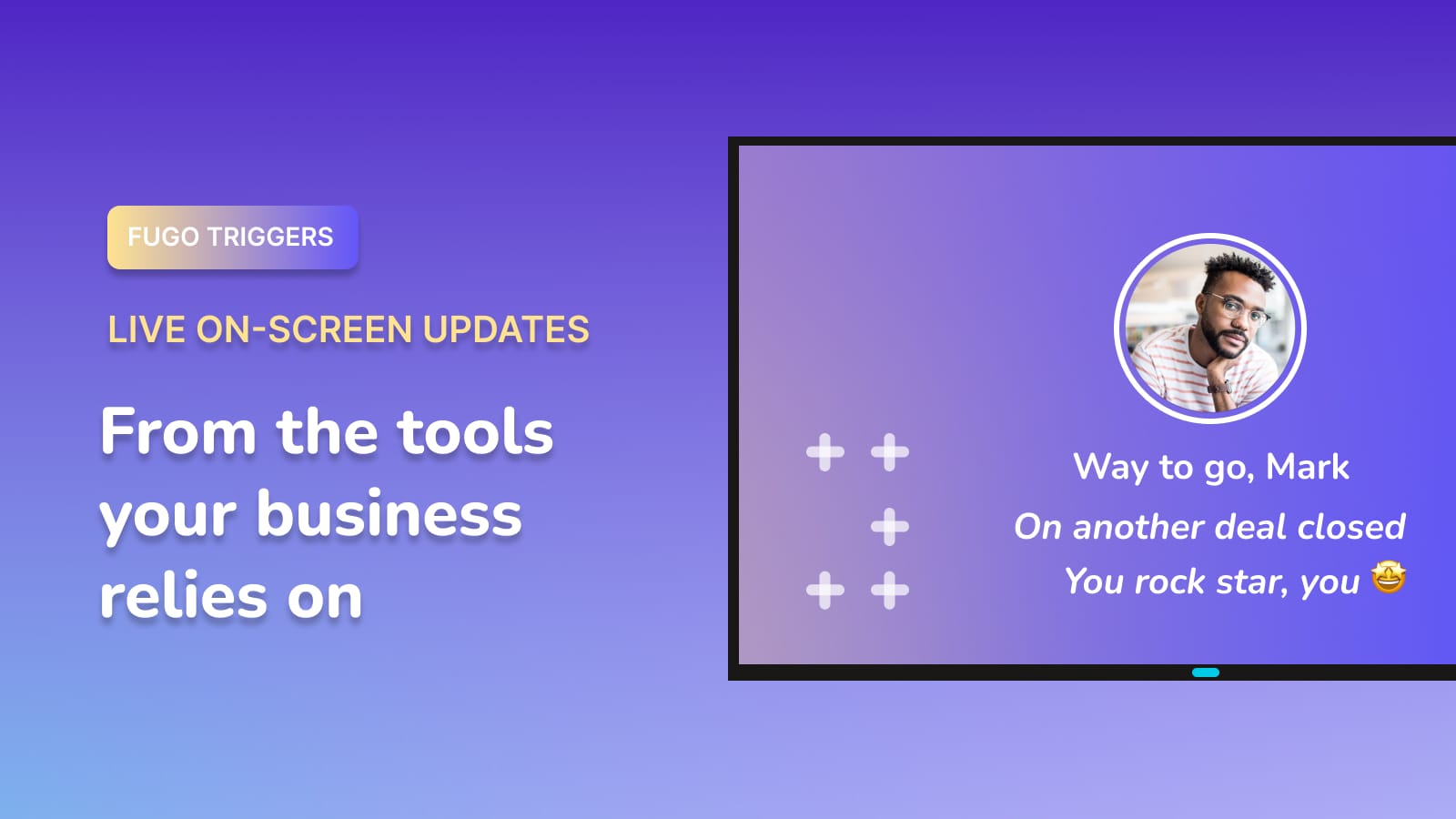
Sales celebration slide triggered on a TV when a deal closes

React instantly

Take over the screen when a critical alert surfaces.

Celebrate the wins

Put closed deals and targets hit in front of the team.

Mark key milestones

Surface important achievements the moment they happen.

Nordward drives company-wide data adoption with Fugo & Chrome Enterprise

Frequently asked questions

What is a TV dashboard?

A TV dashboard is a business dashboard, report, or web link displayed on a TV screen, typically mounted on a wall in an office, warehouse, factory, or operations center.

Instead of logging in individually from a browser, teams can see key metrics at a glance throughout the day.

How does Fugo display dashboards that require login?

It depends on the platform.

For supported integrations like Power BI, Looker, and Grafana, Fugo uses each platform's API-enabled display methods to load dashboards securely on screen.

For other platforms such as Salesforce, Tableau, SAP, Jira, and similar web-based tools, Fugo securely simulates a browser session in the cloud using encrypted credentials. It loads the dashboard behind login, generates a display-ready view, and publishes it to your assigned screens at set intervals.

Why can't I just open a dashboard in a browser on my TV?

Dashboards are built for active users, not unattended displays. When opened directly in a browser on a TV:
  • • Login sessions expire
  • • Pop-ups and dialogs interrupt the view
  • • Pages require mouse input or interaction
  • • Consumer hardware struggles with always-on browser sessions
  • • Security policies may block public sharing links
Fugo is built specifically to handle these challenges so dashboards remain visible and stable on shared screens.

Does Fugo store my login credentials on the screen?

No. Credentials are encrypted and handled within Fugo's secure environment or your chosen deployment model. They are never stored locally on the TV.

You can learn more in our Dashboard Security Overview.

Can I display multiple dashboards on one screen?

Yes. You can rotate multiple dashboards using playlists and control how long each one remains visible before transitioning.

Do I need to redesign my dashboards for TV?

Not necessarily, but dashboards designed for laptops don't always translate well to large displays. Simpler layouts with fewer elements tend to be easier to read from a distance.

Fugo also allows you to crop dashboards, control scroll position, and adjust refresh behavior for TV viewing.

Learn more about display customization features.

Can I run this inside my own network?

Yes. Dashboards can run in Fugo's cloud, locally on your player, or inside your own infrastructure depending on your security and compliance requirements.

Learn more about deployment options.

Are dashboards live or refreshed?

Native integrations may stream or load dashboards directly depending on the platform. For browser-based dashboards, Fugo updates the displayed view at the refresh interval you define.

Can screens react to dashboard events?

Yes. With Triggers, your screens can change automatically when certain conditions are met — such as a closed deal, threshold alert, or operational event.

Learn more about Triggers.